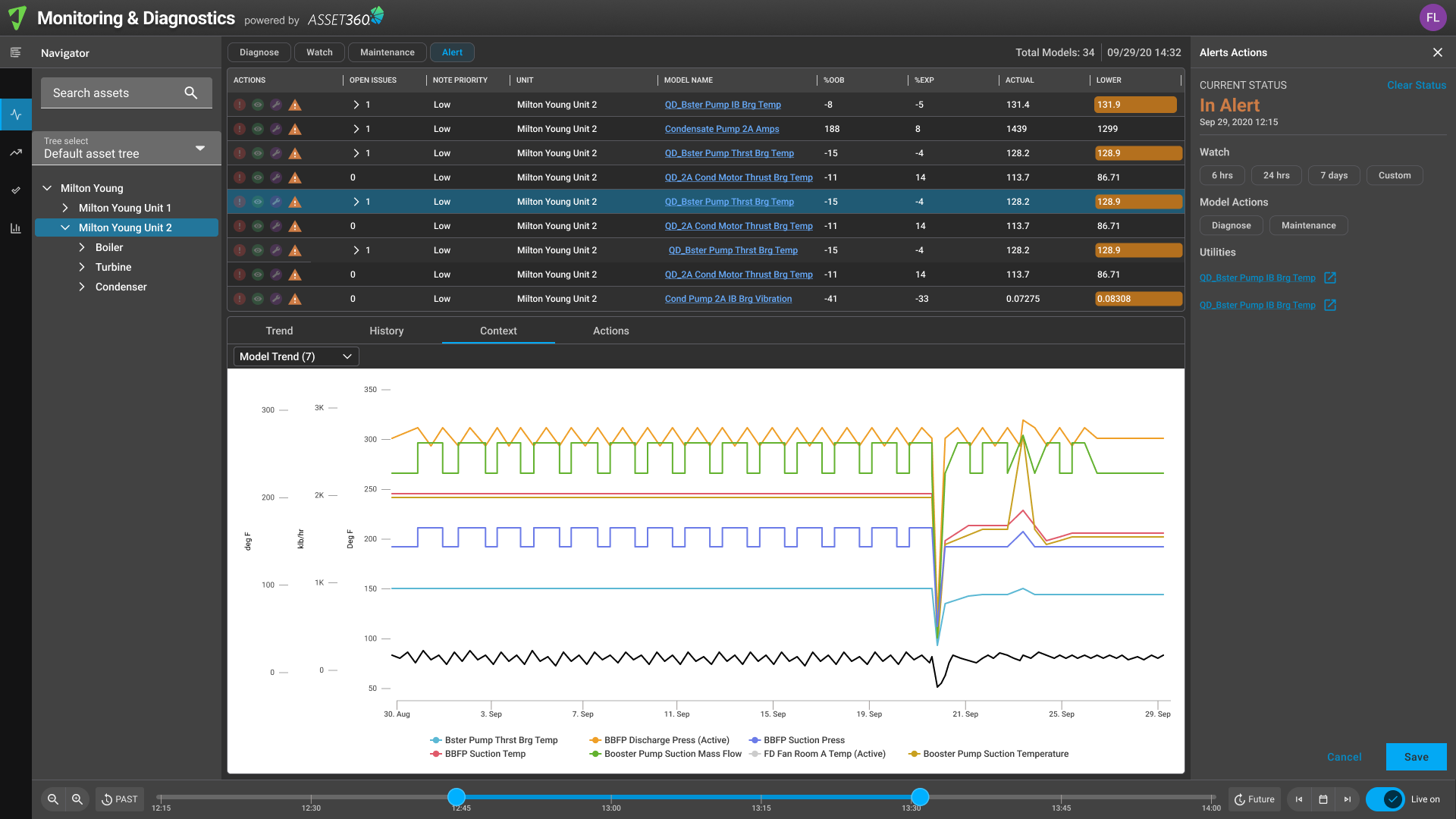
Monitoring and Diagnostics enables early detection of issues, providing operators with real-time visibility and predictive insights to take timely action.
Reliability engineers need to identify issues early to prevent downtime and maintain optimal performance of assets.
Monitoring and Diagnostices was an application inside Atonix's Asset 360 software suite, providing insights to industrial, power, and utility operators to monitor their assets' performance and diagnose potential issues before they escalated into critical problems.
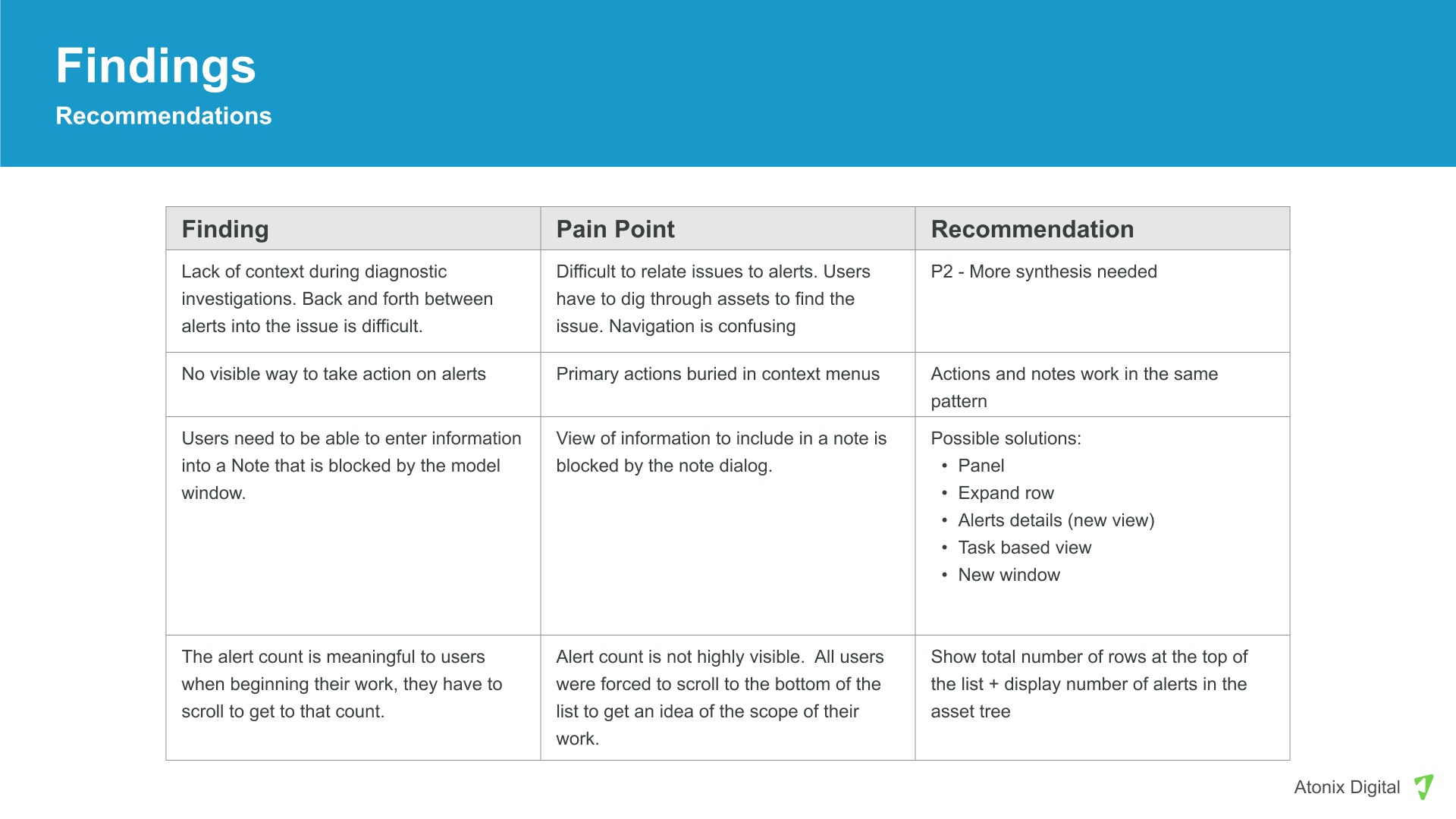
Heuristic analysis revealed a UI too complex for anyone outside the power user tier. Actions buried in context menus, dialogs covering the data, and real accessibility gaps. Worse, alerts, chart exploration, and asset issue creation operated in complete silos. No clear path from spotting an alert to taking action on it.
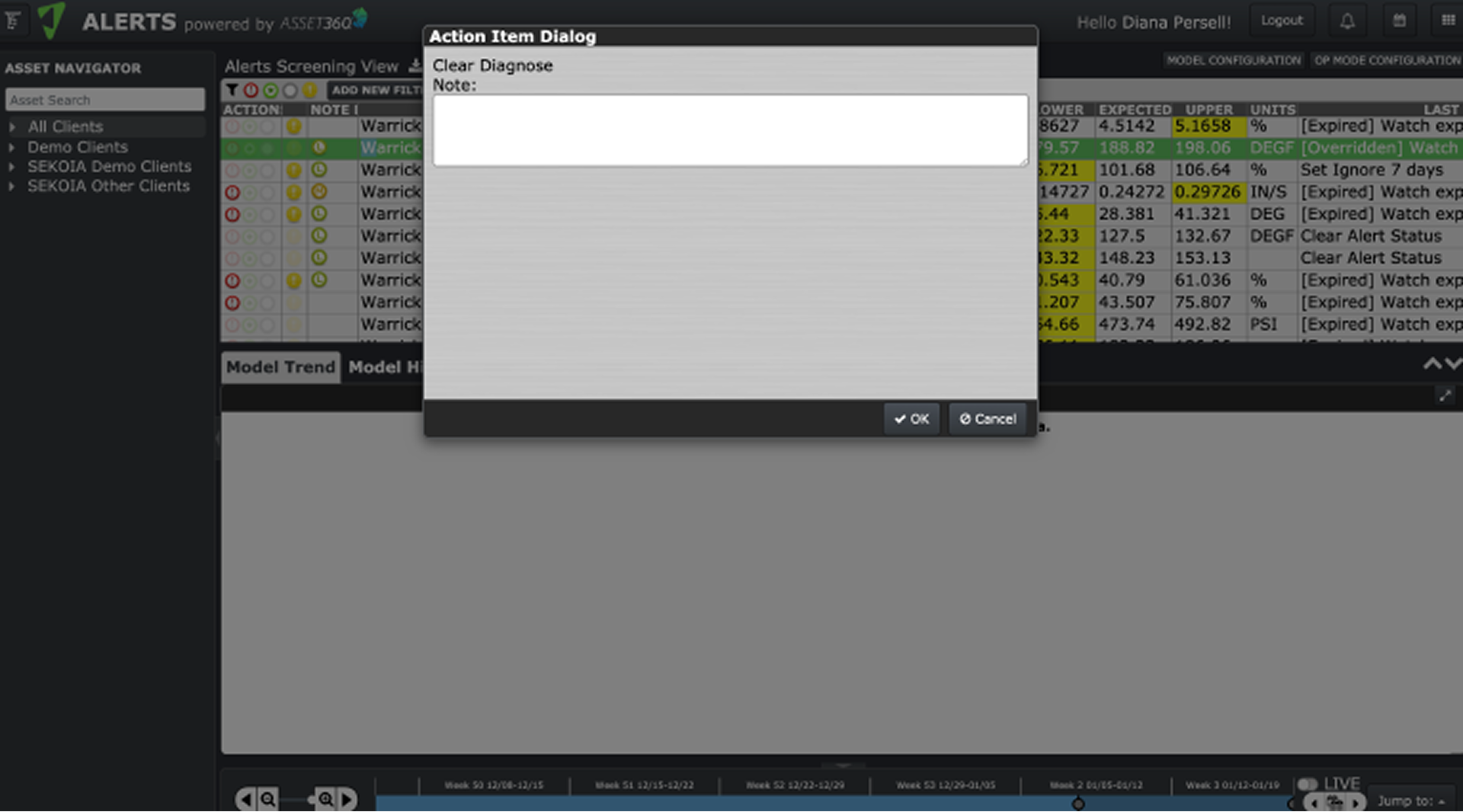
Heuristic analysis pointed to the problem. Direct observation confirmed it. Actions lived in modals that covered the very data users needed to act on, and analysts were switching between tabs and tools to complete what should have been one connected workflow.
Research also uncovered the model retraining problem. 15–30 minute build times, common failures, zero feedback. Engineering took that finding and reduced retraining time by 80%.
We built:
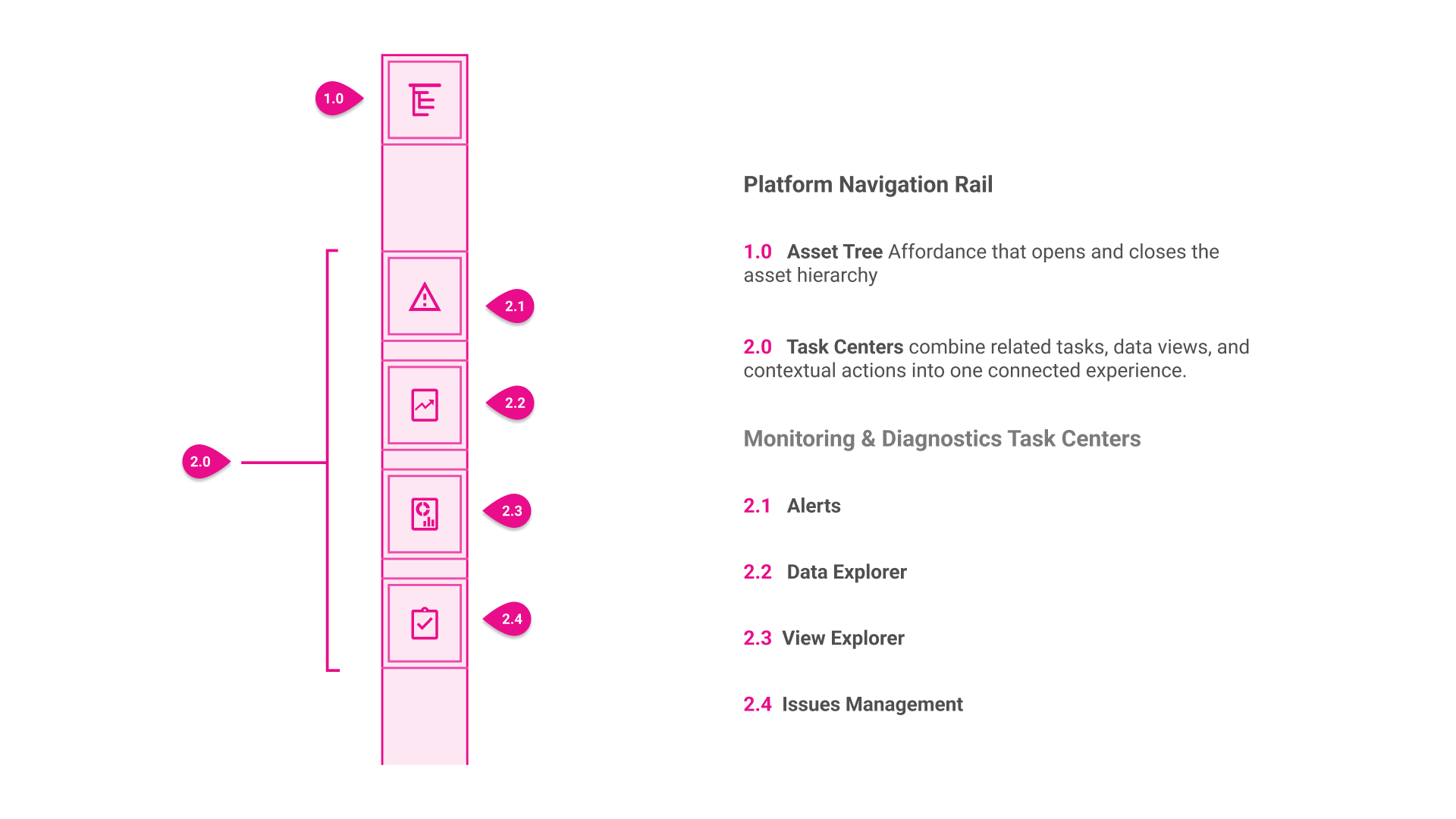
The shell introduced a consistent structure:
A new navigation rail surfaced Task Centers directly, always visible and always showing users where they were, replacing the dropdown the legacy views had been buried in. Alongside it, a main content area and a right panel for contextual actions replaced the modals that had blocked users from the data they needed to act on. The remaining views were ported in as i-frames while new-UI work continued on the rest of the platform.
High-fidelity frames brought the workflow to life. Actions that were once buried in context menus became visible and directly trigger-able. Dialogs that once covered the data now sit beside it, so the context users needed to decide was never hidden. A path from alert to associated issue, and to creating a new one, closed the silo gap research surfaced. Prototyped the full alert resolution sequence for stakeholder review.
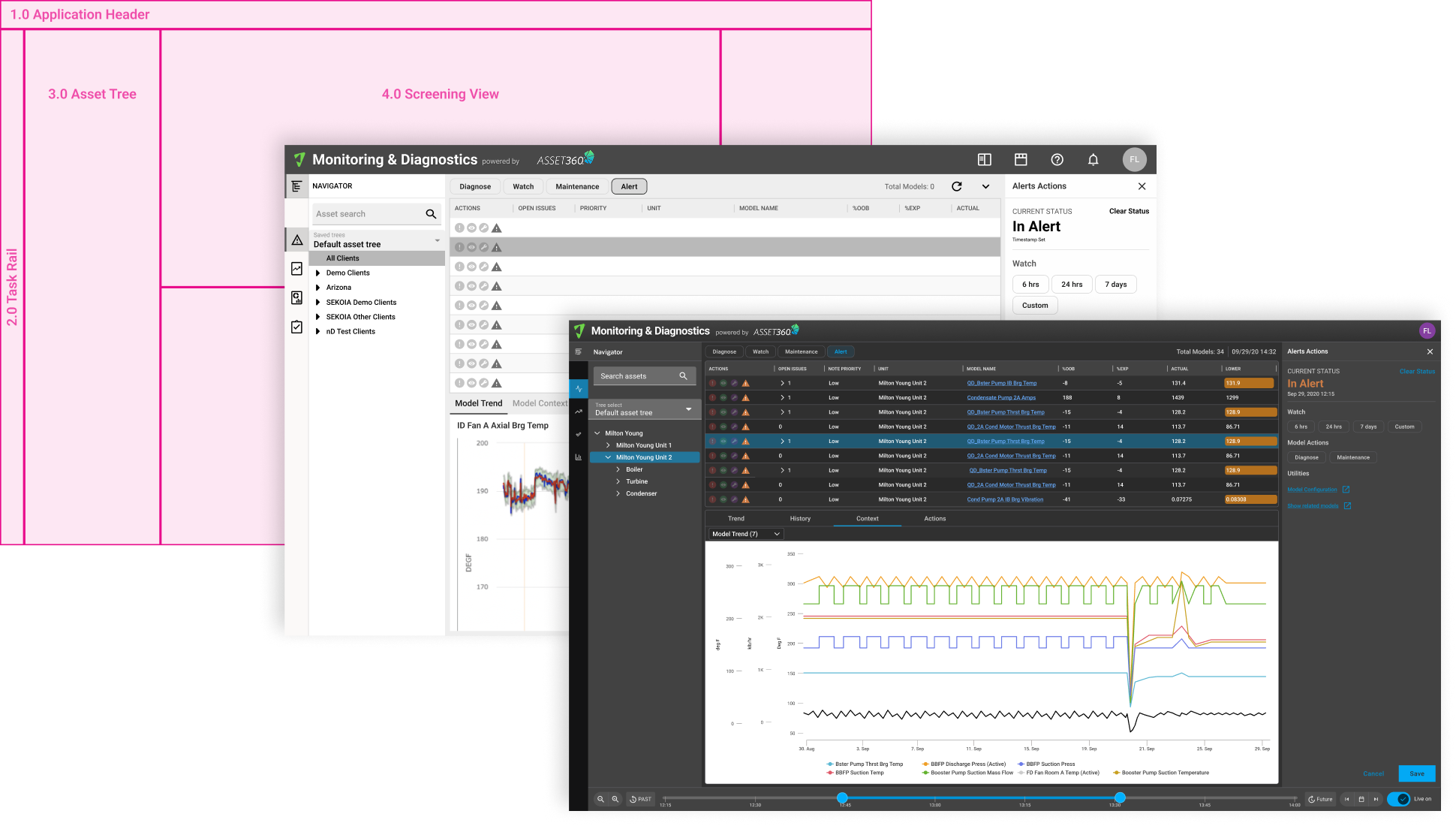
Rather than rebuild everything at once, Alerts was built first in the new UI as the real test of the shell: navigation rail, main content, contextual right panel. Every other view was ported in as iframes, so if analysts could navigate between Task Centers and complete their workflow before those views were rebuilt, the architecture was proven. Each Task Center's move to the new UI was de-risked by that validated shell, and the pattern held all the way to a full platform refresh.
Product and engineering leadership reviewed the navigational model, the shell, Task Centers, and structure that would organize the platform redesign.
Once that direction was set, the research readout went company-wide. Sharing what research uncovered and why the Alerts redesign was the right place to start.
WHO WAS IN THE ROOM
Presented the shell architecture and Task Center taxonomy to product and engineering leadership establishing the structural vision for the platform redesign before any execution began.
Presented research findings and the case for prioritizing Alerts to the entire company. This bilt broad visibility and trust in a research-driven roadmap, not just leadership sign-off.
The Alerts Task Center proved the model. What started as a proof of concept became the shell architecture for Monitoring & Diagnostics, and the blueprint for the Asset360 platform redesign. One pattern. Four workflows. One solution rebuilt, with a model the rest of the platform could build on.
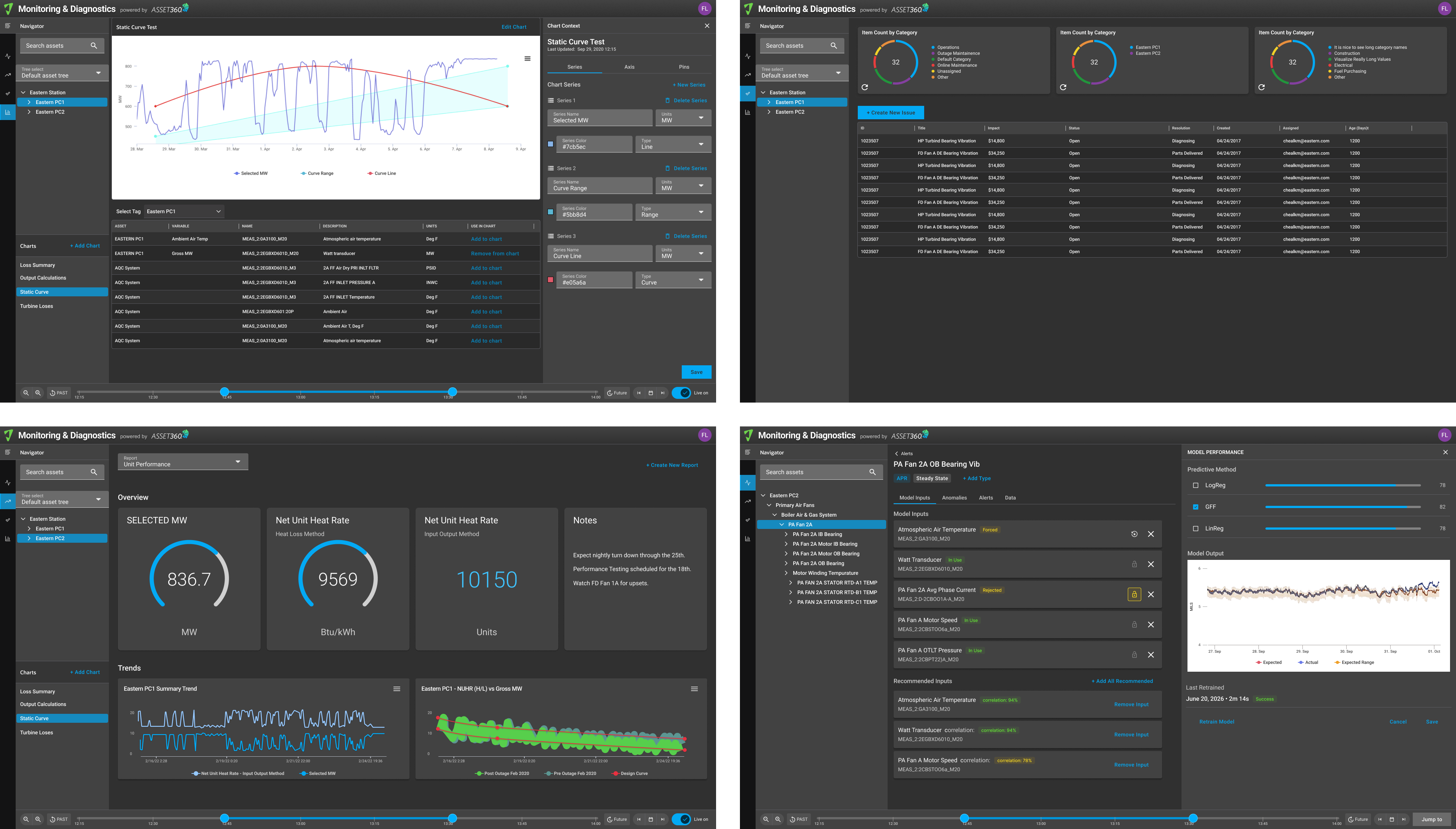
The alerts Task Center didn't just fix a UI — it established the pattern the entire Asset360 platform was rebuilt on. The shell architecture, the navigation rail, the contextual right panel — all of it came from proving the model on one high-visibility screen first.
I'm currently open to new design leadership roles. Whether you're building something ambitious or improving what you already have, I'd love to connect.
Get in touch